iOS - App Installation
1. App Installation
Kaukkari app available as a web app
- Open Safari on your phone
- Go to kaukkari.vastnicon.fi
- Tap the "..." button and select "Share"
- Tap "..." / "More" and select "Add to Home Screen"
- Tap "Add"
- The app is now installed on your phone and will appear in your apps
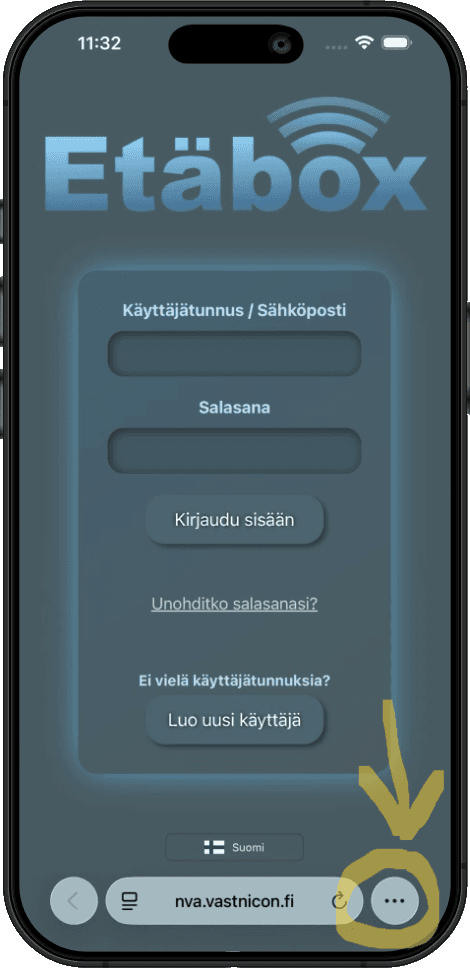
Step 1
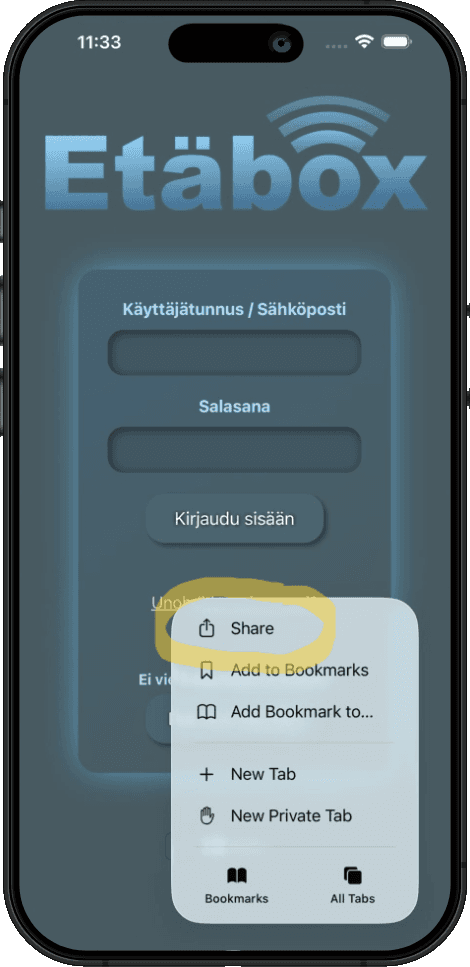
Step 2
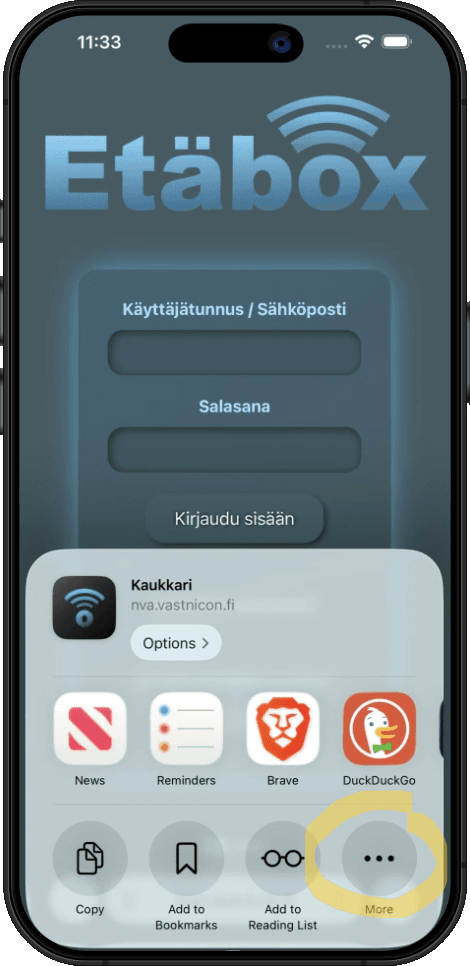
Step 3
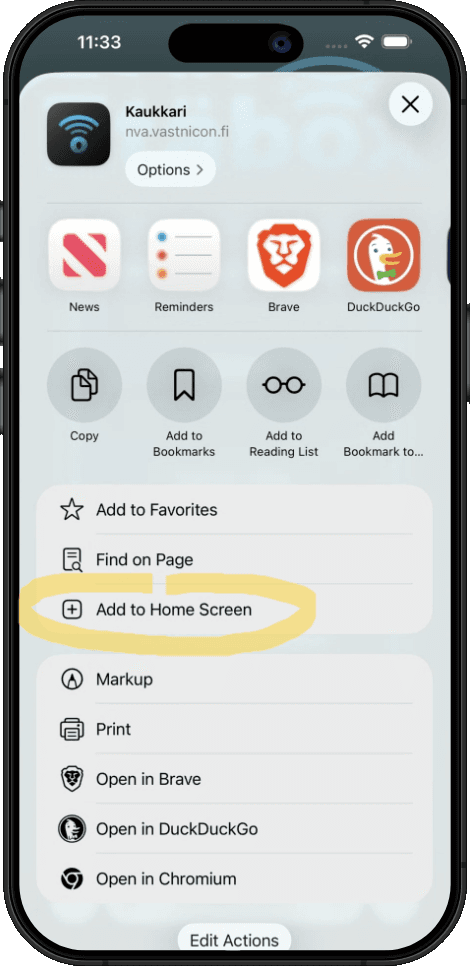
Step 4
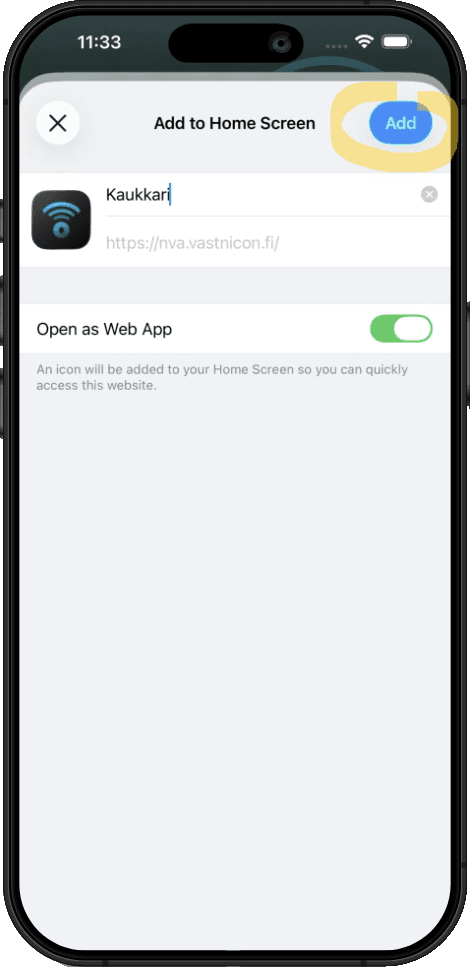
Step 5
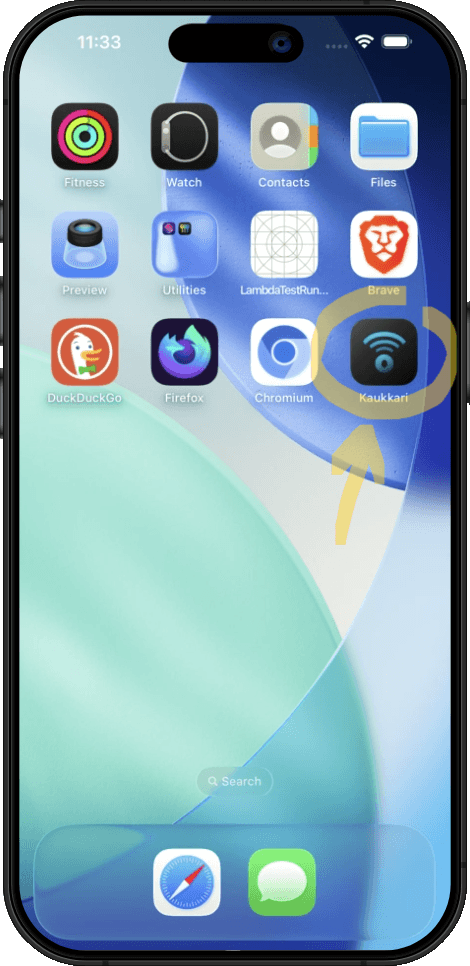
Step 6
2. Registration
- Open the Kaukkari app
- Select "Create new account" or sign in with an existing account
- Enter your email address and password
- Verify your email address by entering the confirmation code sent to your email
3. Adding Etäbox
- Open the Kaukkari app and sign in
- Select "Add device" or the "+" button
- Enter the ID and S codes printed on your Etäbox into the app
- The device is now added to your account and you can start controlling it